



Convert HEIC/HEIF photos to PDF free, securely, and directly in your browser
Upload HEIC/HEIF photos, rearrange them, and get one or more PDF files—all conversions happen locally on your device.




The HEIC (High Efficiency Image Format) or HEIF format has become a popular standard for photos taken on modern devices, including iPhones and iPads. It provides high image quality with a smaller file size, but often there is a need to convert such photos into a more universal format, such as PDF. PDF files are convenient for sharing, printing, archiving, and including in documents. Our online service allows you to convert HEIC and HEIF photos to PDF for free, directly in your browser, without registration and without uploading files to a server.
Why HEIC / HEIF needs conversion
HEIC and HEIF support modern compression technologies, preserving image details and quality at a smaller file size. However, not all devices and programs support this format. Many PCs, Windows applications, and web services cannot open HEIC files directly. Converting to PDF makes photos accessible for viewing and use on any device, browser, or application.
Advantages of online PDF conversion
Our service offers a number of advantages that make the process convenient and secure:
- Free: No usage fees, all features are available immediately.
- Simple: No need to install programs or additional apps.
- No registration: Start converting files right away, without creating an account.
- Local processing: Files are not uploaded to a server; all processing is done in your browser.
- Unlimited number of files: Convert as many photos as you want at once or individually.
- Speed: Conversion is instant and depends only on your device's performance.
- Cross-platform: Works on Windows, macOS, Linux, Android, and iOS.
How to convert HEIC / HEIF photos to PDF
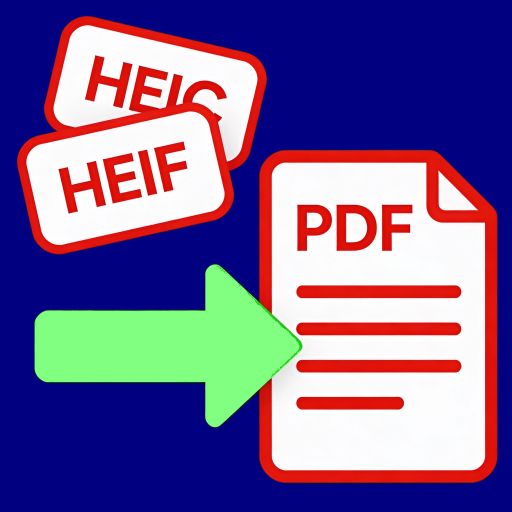
The process is very simple and intuitive:
- Open our converter page in your browser.
- Select or drag HEIC / HEIF photos into the service window.
- If needed, adjust the image order if you want to merge multiple files into one PDF.
- Click the "Convert" button and wait for the processing to complete.
- Download the resulting PDF file to your computer or device.
The entire process takes just seconds or minutes, depending on the number and size of the files. There is no need to wait for server-side processing or register for access. All operations are performed locally on your device.
PDF handling features
After conversion, your photos will be combined into a PDF file that is easy to view, print, and share. PDF preserves the aspect ratio of images and ensures compatibility with most devices. You can merge multiple photos into one document, add pages in order, or rearrange them before saving. This approach is especially useful for reports, portfolios, presentations, and personal archives.
Why security matters
When working with photos, especially personal or work-related ones, privacy is critical. Our service uses Client-Side Processing, which ensures that all file processing occurs entirely in the browser. This means your photos never leave your device and are not uploaded to remote servers. You can work with any documents even when offline, knowing that no one can access your files.
Support for unlimited files
Many online converters limit the number of files or the size of a single document. We removed these restrictions, allowing users to convert hundreds of HEIC photos simultaneously. You can create one PDF from multiple files or convert them individually without limits on speed or quantity of operations.
Cross-platform convenience
The service works on all popular platforms. You don’t have to worry about whether the program is compatible with your device. The browser performs all actions, and the result is consistently high-quality on a computer, tablet, or smartphone. This makes HEIC/HEIF to PDF conversion accessible anywhere — at home, in the office, or on the go.
Use cases
- Personal photos: Create a PDF photo album from images taken with an iPhone or iPad, merge them into one document for storage or sharing.
- Work documents: Convert pictures of receipts, reports, and presentations to PDF for archiving and sending to colleagues.
- Educational materials: Students can convert photos of notes to PDF and submit them to teachers or keep them for personal use.
- Portfolios and creative work: Designers, photographers, and artists can compile images into PDFs for client presentations and publications.
Intuitive interface
We made the interface as simple as possible: drag the file, choose the order, click the button — and it’s done. All functions are available on the main page, no instructions required. Even users without experience with PDFs can easily convert HEIC / HEIF files to PDF.
Free and no registration
No subscriptions, paid features, or registration required. You start working immediately. Being free does not limit functionality — all service features are available to every user. You can convert any amount of photos without limits, using only your browser and device.
Conclusion
Converting HEIC / HEIF photos to PDF has never been easier or safer. With our online service, you get a fast, free, and reliable tool that works directly in your browser. You don’t need to register, install programs, or worry about data security. Merge photos, create PDF documents, and use them for any purpose — work, study, or personal archives. Try it now and see how convenient and quick it is to do online.
24glo.com — Global solutions, Local security, Online services.