


Convert PDF to JPG
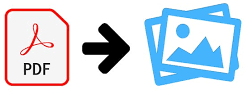
Upload PDF files. Each page will be saved as a separate image.
In the world of digital document management, PDF is the gold standard for file sharing. It is reliable, universal, and preserves formatting on any device. However, there are situations where a PDF file becomes a problem. You may need to insert a report page into a PowerPoint presentation, upload a scanned diploma to a website that accepts only images, or simply share a route map in a messenger.
This is where 24glo.com comes to the rescue. Our "PDF to JPG Converter" tool lets you instantly turn the pages of any PDF document into separate high-quality images. We have created a solution that combines ease of use with an unprecedented level of security and privacy.
Why converting on 24glo.com is the safest choice
Most free online converters work according to an outdated and unsafe scheme: “Upload – Wait – Download.” This means you take your confidential contract, financial report, or personal documents and physically send them to a third-party server on the internet. You do not know who owns this server, which country it is located in, or whether your files are deleted after processing. The risk of data leakage with such services always exists.
At 24glo.com, we chose a different path. We use local processing technology (Client-Side Processing). This is a revolutionary approach in which:
- Your files never leave your device: All the conversion magic happens directly in your browser (Chrome, Firefox, Safari, etc.). The file is opened and processed by your own processor without being sent over the network.
- Complete anonymity: Since data is not transferred to our servers, we technically cannot see, store, or share it with third parties. Even if you convert highly sensitive or government-level documents, it is completely safe.
- Protection from network issues: No internet? No problem. Your work will not be interrupted by poor Wi-Fi or server outages.
Works Offline: A tool that is always with you
Our service is unique in that it is a hybrid of a website and a desktop application. Once you load the converter page, you can continue using it even without an internet connection.
Imagine the situation: you are traveling by train, flying on a plane, or roaming with expensive mobile data. You urgently need to extract pages from a PDF and send them as images. With a typical online converter, you would be helpless. With 24glo.com, you simply open the tab (or a saved page) and keep working as usual.
High quality and flexible settings
A common problem with conversion is quality loss. Text becomes blurry, and small details in diagrams disappear. We have tuned our rendering algorithm to deliver professional-grade results.
1. High resolution (High DPI)
We use rendering scaling (Scale 2.0 and higher). This means that instead of “blurry” screenshots, you get sharp, detailed images suitable even for printing. Text remains readable, and graphics stay crisp.
2. Smart archiving (ZIP)
If your PDF document contains 100 pages, downloading 100 separate JPG files is painful. Our service automatically gives you a choice:
- Download a specific page individually (if you only need the cover or a particular diagram).
- Download all pages as a single ZIP archive. With one click, you get a neatly packed folder with all images, numbered in order.
3. Support for large files
Since processing happens on your device, we do not impose strict file size limits. While other websites may refuse to upload files larger than 10 MB, our tool can handle heavy books and large technical drawings. The only limitation is the power of your computer or phone.
Use cases: When will you need this?
A PDF to JPG converter is a universal tool needed by students, designers, lawyers, and everyday users. Here are just a few examples:
For social networks and messengers:
Instagram, Pinterest, or WhatsApp work much better with images. If you want to share a beautiful magazine page or a certificate, converting it to JPG is the fastest and easiest way.
For presentations and documents:
Inserting a PDF file into Word or PowerPoint can be problematic (it may appear only as an icon). By inserting the content as a JPG image, you ensure everyone sees it exactly as intended.
For web development and design:
Designers are often sent layouts or references in PDF format. Converting them to JPG makes it easy to open files in graphic editors, create mood boards, or upload work to a portfolio website.
For legacy systems:
Some government portals or banking systems still accept only image formats (JPG, PNG) for uploading document scans. Our service helps you quickly adapt your files to these requirements.
How it works: Step-by-step guide
We believe technology should be simple. Our interface is intuitive, and you do not need to search for instructions.
Step 1: Select files
Click the upload area or simply drag and drop one or more PDF files with your mouse. You can upload a whole batch at once—for example, several different invoices.
Step 2: Conversion process
You will see a progress bar. Our engine starts “reading” each PDF page and turning it into an image. The speed depends on your device, but it usually takes just seconds. You will immediately see thumbnails of the finished pages.
Step 3: Preview and download
All converted images are displayed in a convenient grid. You can:
- Click the “Download JPG” button under a specific thumbnail to save a single page.
- Click the large “Download all as ZIP” button to get the complete set of images in one archive.
Advantages of 24glo.com over competitors
Why do thousands of users choose us?
- Free forever: We do not require you to buy a “Pro version” to download archives or process more than five pages. All features are available immediately and for free.
- No registration: We respect your time and anonymity. No sign-up forms, SMS confirmations, or captchas. Visit, convert, and leave.
- No watermarks: We do not ruin your images with intrusive logos. You get clean results suitable for professional use.
- Cross-platform: The service works anywhere there is a browser. Windows, macOS, Linux, Android, iOS—it does not matter which operating system you use. You do not need separate apps for your phone and computer.
Conclusion
24glo.com aims to make working with documents simple, fast, and secure. We have removed all intermediaries between you and your result. No servers, no upload queues, and no data leakage risks. Just your browser and a powerful tool ready to work at any moment.
Try our “PDF to JPG” converter right now. See for yourself how convenient it is to have a tool at hand that does not depend on the internet and truly respects your privacy.
24glo.com — Global Solutions, Local Security, Online Services.