



Convert JPG and PNG images to PDF
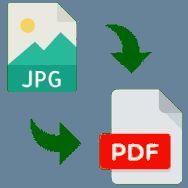
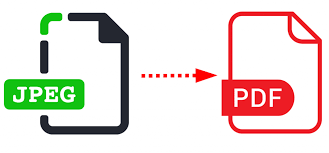
Upload images (JPG, PNG), arrange them in the desired order and save as one PDF file.

In today’s digital world, we constantly face the need to digitize paper documents. We take photos of contracts with a smartphone camera, scan receipts, save screenshots of important conversations, or create graphic portfolios. However, storing and sharing dozens of separate JPG or PNG files is extremely inconvenient. They get lost in message threads, open in the wrong order, and look unprofessional when sent to business partners or instructors.
The service 24glo.com offers the perfect solution to this problem. Our "JPG/PNG to PDF Converter" allows you to instantly combine any number of images into a single, well-organized PDF file. We have created a unique technology that combines the accessibility of a website with the power and security of desktop software. Forget about paid subscriptions, watermarks, and the risk of data leaks.
A Security Revolution: Your Files Are Not Uploaded to the Internet
Data security is the main concern with most online converters. The standard workflow of such sites looks like this: you upload your personal photos (passports, driver’s licenses, financial reports) to a third-party server. The processing happens there, and then you receive the result. But what happens to your files afterward? Are they deleted? Who has access to them? There is no way to guarantee this.
24glo.com changes the rules of the game. We use Client-Side Processing technology. This means that:
- No server uploads: When you select files for conversion, they are not transmitted over the network. Your browser processes them locally using the resources of your computer or phone.
- 100% privacy: It is technically impossible to intercept your data because it never leaves your device. This makes our service the only safe choice for working with confidential documents, legal papers, and personal information.
- Protection against hacking: Since we do not store user files in any database, there is simply nothing for hackers to attack.
Works Offline: No Internet Required
It may sound paradoxical for a website, but our tool truly works without an internet connection. Thanks to modern web standards (PWA and JavaScript libraries), the converter’s code is loaded into your browser’s memory the first time you visit the page.
You can try a simple experiment: open the JPG/PNG to PDF converter page on 24glo.com, then turn off Wi-Fi or switch your phone to airplane mode. You will see that the tool continues to work perfectly. You can add files, change their order, and create PDF documents.
This is an essential feature for:
- Travelers: Combine scans of tickets and visas into a single file right on a plane or train.
- Students: Prepare assignments in classrooms with poor signal reception.
- Businesses: Work with documents on the go without wasting expensive mobile data.
Why Is PDF Better Than JPG/PNG?
Many users ask: “Why should I convert images to PDF?” Here are several strong reasons:
1. Universality and Standardization
JPG and PNG formats depend on the viewing application. On one computer, an image may open at full size, while on another it may appear as a thumbnail. PDF (Portable Document Format) looks the same on any device—whether it’s an iPhone, Android, Windows, or macOS. Fonts, layout, and page sizes remain unchanged.
2. Compactness and Organization
Imagine you need to send 20 receipts to an accountant. Attaching 20 separate files to an email is poor practice. The recipient has to download each file individually. With 24glo.com, you combine those 20 images into one file. It’s professional, convenient, and saves time.
3. Print Quality
When printing images, scaling issues often occur (the image prints too small or gets cropped). A PDF document has clearly defined page boundaries, which guarantees predictable results when printing.
How to Use the Service: It Doesn’t Get Any Easier
We designed the 24glo.com interface with a focus on minimalism and functionality. You don’t need to read manuals or watch tutorials. Everything is intuitive.
Step 1: Add Images
You can click the upload button and select files through the file manager. But it’s even easier to simply select the required photos on your desktop and drag them into the browser window (Drag & Drop). We support JPG (JPEG) and PNG formats.
Step 2: Sort and Manage
Often, files are uploaded in the wrong order. On other sites, you would have to delete them and upload everything again. With us, you can simply drag image thumbnails with your mouse to arrange them in the desired sequence. Forgot to add a page? Add it at any time. Uploaded something extra? Click the cross to remove it.
Step 3: Instant Conversion
Click the “Convert to PDF” button. Since the process runs on your powerful processor rather than an overloaded server, conversion takes just a fraction of a second—even if you are merging hundreds of high-resolution photos.
Who Is This Tool For?
Our service is universal and meets the needs of a wide range of users:
For students and school pupils:
Distance learning requires frequent submission of handwritten assignments. Take photos of notebook pages, combine them into one PDF, and send it to your teacher. This ensures that pages won’t get mixed up during review.
For freelancers and self-employed professionals:
Create expense reports by combining photos of receipts. Build portfolios by collecting screenshots of your work or product photos into a single presentable catalog.
For office employees:
Quickly scan signed reports and contracts. If you don’t have a scanner with an automatic feeder, just photograph the pages with your phone and merge them using 24glo.com.
For government services:
When applying for visas, mortgages, or tax refunds, you often need to upload a package of documents as a single file. Our service is ideal for preparing such packages.
Advantages Over Competitors
Why choose 24glo.com when Google search shows hundreds of similar websites?
- No limits: Competitors often restrict you: “Only 2 files per hour for free” or “Maximum file size 5 MB.” We impose no limits. Convert 500 files at once or gigabytes of data. It’s your computer, your resources—we have no right to restrict them.
- No registration and no spam: We don’t ask for your email. You won’t receive annoying newsletters. There’s no need to create an account or remember another password.
- No watermarks: Many “free” services ruin your documents by placing large logos over the content. We respect your work. Your PDF files will be clean and professional.
- Quality preserved: We don’t apply aggressive compression without your consent. Each PDF page is created exactly to match the size of your image, preserving original sharpness and detail.
Cross-Platform Compatibility and Accessibility
The “JPG/PNG to PDF” service from 24glo.com works in any modern browser: Google Chrome, Safari, Mozilla Firefox, Opera, Microsoft Edge, and Yandex Browser.
You don’t need to install heavy software that consumes system memory. The service works equally well on:
- Desktop computers (Windows, macOS, Linux).
- Laptops and netbooks.
- Tablets (iPad, Android).
- Smartphones (iPhone, Samsung, Xiaomi, and others).
Conclusion
The mission of 24glo.com is to make complex digital tasks simple and accessible to everyone without compromising security. Our image-to-PDF converter is a clear example of how web technologies can work for the benefit of users.
You no longer have to choose between convenience and privacy. There is no need to pay for expensive software for a simple task. No need to wait for files to upload to a server on a slow internet connection.
Try it right now. Bookmark the page, and you will always have a powerful, free, and completely secure document tool at your fingertips—one that will never let you down, even if the internet goes offline worldwide.
24glo.com — Global Solutions, Local Security, Online Services.