



Crop PDF files freely, securely, and directly in your browser.
Upload a PDF, select the crop area with your mouse, and save the cropped document. Works for all or selected pages.
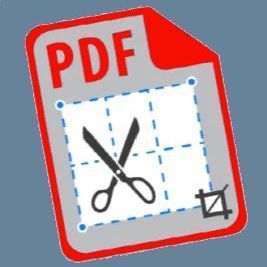
Do you need to carefully trim margins, remove unnecessary scan areas, or crop only a specific part of a PDF page? Often, scanned documents contain large empty margins, black borders, stray marks, or information you don’t want to show to recipients. The “Crop PDF” tool on 24glo.com allows you to quickly and precisely crop PDF pages directly in your browser—no registration, no software installation, and no file uploads to the internet.
Unlike complex editors, our tool is designed for maximum clarity and intuitive use: you simply open the page, click and drag to select the desired area, adjust it with corner handles if needed, and then apply the crop to all or selected pages. The result is a new PDF with clean pages, free from unnecessary clutter.
How PDF Cropping Works on 24glo.com
We combine PDF.js and PDF-LIB technologies to render each page as an image while precisely managing its actual coordinates within the PDF document. You see the page visually, while the tool translates your selection rectangle into page coordinates and adjusts its size via the MediaBox under the hood.
With this approach:
- The original quality of text and graphics is preserved (we don’t turn everything into a raster image).
- The document structure, bookmarks, and more remain unchanged—only the visible page boundaries are altered.
- You can crop an entire document or only individual pages without risking damage to other content.
Mouse Cropping: Click & Drag + Handles
The central part of the tool is a large preview area of the current page. To select a crop area:
- Hover over the page and hold down the left mouse button.
- Drag to form a rectangle around the area you want to keep.
- Release the button—a red dashed rectangle with white corner handles will appear.
- Move the entire rectangle by dragging its interior.
- Fine-tune the boundaries by dragging the corner handles.
This method is very similar to working in graphic editors and is easy for anyone to understand: no need to manually enter coordinates or think about millimeters—just visually define the area to remain on the page.
Crop All or Selected Pages
Often, each page in a document has the same extra margins (e.g., scans of standard forms), but sometimes you only need to crop one or several pages (e.g., removing an unnecessary area with a signature on the last page).
The interface includes a switch:
- “Apply to all pages” — select the area on the current page once, and the same frame will be recalculated and applied to all other pages. Perfect for mass cropping of margins after scanning.
- “Only current page” — allows you to process a single page. Convenient if there is only one problematic page or you need to keep a fragment on just that page.
You can switch pages using the vertical thumbnail list on the left: click a thumbnail to go directly to that page, displayed in the main preview area.
Complete Privacy and Offline Operation
Like other 24glo.com tools, “Crop PDF” works entirely on the client side. The PDF file is loaded only into your browser’s memory and is never sent to the server. This is critical when working with contracts, passport scans, medical documents, or internal corporate files.
After the first page load, you can turn off your internet connection—the cropping will continue to work. All coordinate calculations, page redrawing, and saving the new PDF are performed by your device, as if you were using a standalone program rather than a website.
Typical Cases for Using Crop PDF
- Document scanning: The scanner captured desk edges, the lid, or black borders around the page. Cropping leaves only the clean page area.
- Protecting personal data: Remove parts of a PDF with signatures, passport numbers, or other sensitive information without altering the rest of the document.
- Preparation for printing: Removing extra margins and blank areas reduces paper usage and makes the document neat.
- Creating presentations and handouts: From a multi-column page, keep only the important fragment for inclusion in a presentation or handout.
Step-by-Step Instructions
Step 1. Upload the Document
Click the gray upload area or drag your PDF file into the browser window. A vertical thumbnail list will appear on the left—one for each page of the document.
Step 2. Select a Page
Click the thumbnail of the page you want to start with. The current page will be highlighted and displayed in a larger view on the right.
Step 3. Select the Crop Area
Click on the page and, without releasing the mouse button, drag to draw a rectangle. Release the button—the crop area appears. If needed:
- Move it by dragging the interior.
- Resize by dragging the corners.
Step 4. Choose Application Mode
Select whether to apply the crop to all pages or only the current page. If “All pages” is chosen, the selected frame will be scaled proportionally for each page in the document.
Step 5. Download the Result
Click the “Crop PDF and Download” button. Within a few seconds, your browser will prompt you to save the new file cropped.pdf, containing only the cropped pages, while the original remains unchanged.
Advantages of the 24glo.com Tool
- No registration or ads: No accounts, logins, or spam. Open the page and start working immediately.
- No page limit: Crop small documents with 2–3 pages or large scanned archives with hundreds of pages.
- Precise visual cropping: You see exactly what you’ll get, with no guesswork or trial and error.
- Cross-platform: Works in Chrome, Firefox, Edge, Safari, and most modern mobile browsers.
The “Crop PDF” tool is part of the 24glo.com suite for fully secure PDF handling: merge, split, rotate, page numbering, watermarks, JPG ⇄ PDF conversion, and more. All available for free, directly in your browser, without sending files to third parties.
24glo.com — Global Solutions, Local Security, Online Services.